Fly Script Roblox
The Fly Script is a powerful Roblox script designed to enhance character movement by allowing players to fly and travel through the game world from the air. It can make exploration more convenient, help players reach elevated or hard-to-access areas, and provide a different way to move around supported Roblox games.
Depending on the script and the game, Fly Script may include different movement options, controls, and customization features. Its compatibility can also change with Roblox updates and the scripting environment being used.
It is worth noting that Fly Script is not an official Roblox feature and may come from a third-party source. Always check the script’s source, understand what it does, and consider the potential security and account risks before using it.
What Is a Fly Script in Roblox?
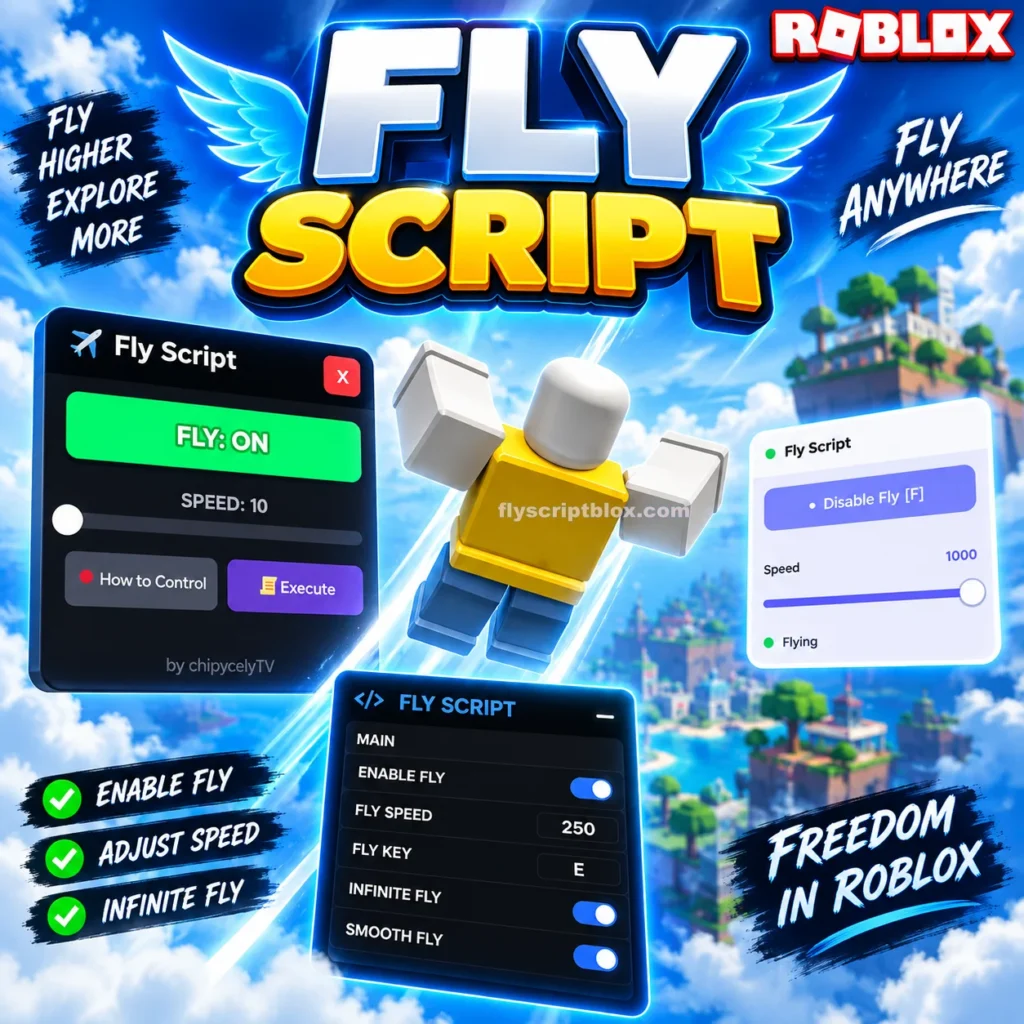
A Fly Script is a Roblox Lua script designed to give a player’s character a flying or air-movement ability. Instead of walking or jumping normally, the character can move upward, downward, forward, backward, or sideways while in the air.
The exact behavior depends on how the script is made. Some simple scripts only allow basic movement, while more advanced versions may include speed controls, flight toggles, keyboard shortcuts, and mobile-friendly buttons.
The main purpose of a fly script is simple: it changes normal character movement so the player can travel through the air.
For example, when a fly feature is enabled, a player may be able to rise above the map, move toward another location, and then return to the ground when flying is disabled.
How Does Fly Script Work?
A Roblox fly script generally interacts with the player’s character and changes its movement behavior while the feature is active.
In simple terms, the script usually does something like this:
- Detects the player’s character.
- Finds the character’s movement-related components.
- Enables a flight state.
- Applies movement based on player input.
- Allows the character to move through the air.
- Removes or disables the flight behavior when the player turns it off.
The actual implementation can be different from one script to another.
Some scripts use Roblox physics objects or movement properties, while others use different methods to control the character. Because Roblox frequently changes its systems, a method that works today may stop working after a future update.
Key Features Of Roblox Fly Script
Different Fly Script versions can have different options. Before using any script, it is useful to understand the features it may provide.
1. Fly Toggle
The most basic feature is a simple Fly ON/OFF option.
When flying is enabled, your character can move through the air. Turning the feature off returns the character to normal movement.
2. Adjustable Fly Speed
Some versions allow you to change the flying speed.
For example, you may see settings such as:
- Slow flight
- Normal flight
- Fast flight
- Custom speed
Adjustable speed is useful because extremely fast movement can make controlling the character difficult.
3. Directional Movement
A good fly system normally allows movement in several directions.
Depending on the script, you may be able to:
- Move forward
- Move backward
- Move left
- Move right
- Move upward
- Move downward
This makes the flying experience more flexible than simply jumping higher than normal.
4. Keyboard Controls
PC-oriented fly scripts may use keyboard controls.
Common controls can include movement keys and separate keys for going upward or downward. However, the exact controls depend on the individual script.
Always check the instructions provided with the specific script instead of assuming that every Fly Script uses the same controls.
5. Mobile Support
Some newer scripts are designed with mobile players in mind.
A mobile-friendly fly feature may provide buttons on the screen for:
- Enabling flight
- Disabling flight
- Increasing altitude
- Decreasing altitude
- Changing speed
Mobile compatibility is important because keyboard-based controls do not work the same way on phones and tablets.
6. Simple Interface
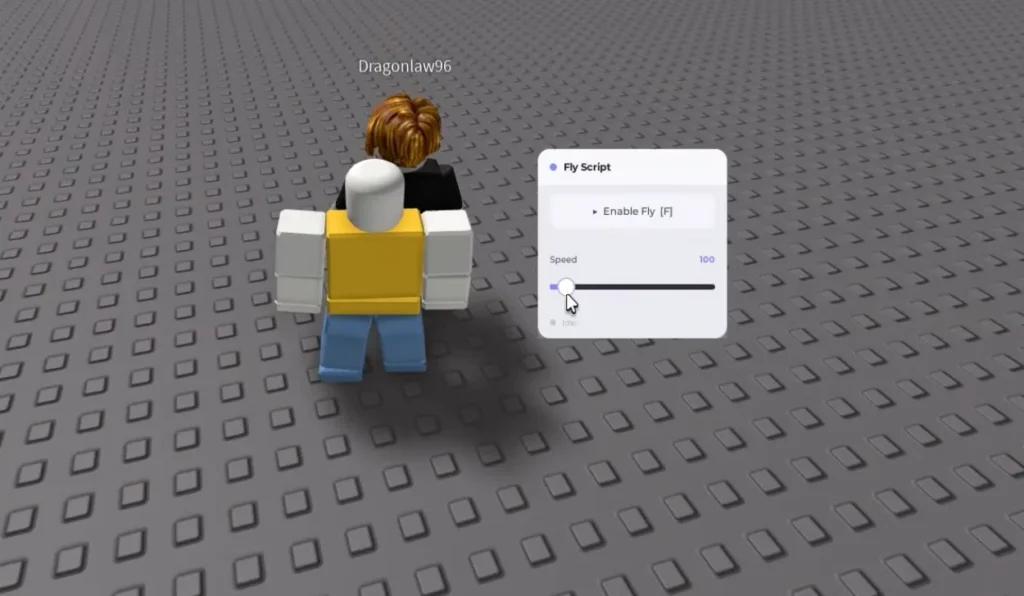
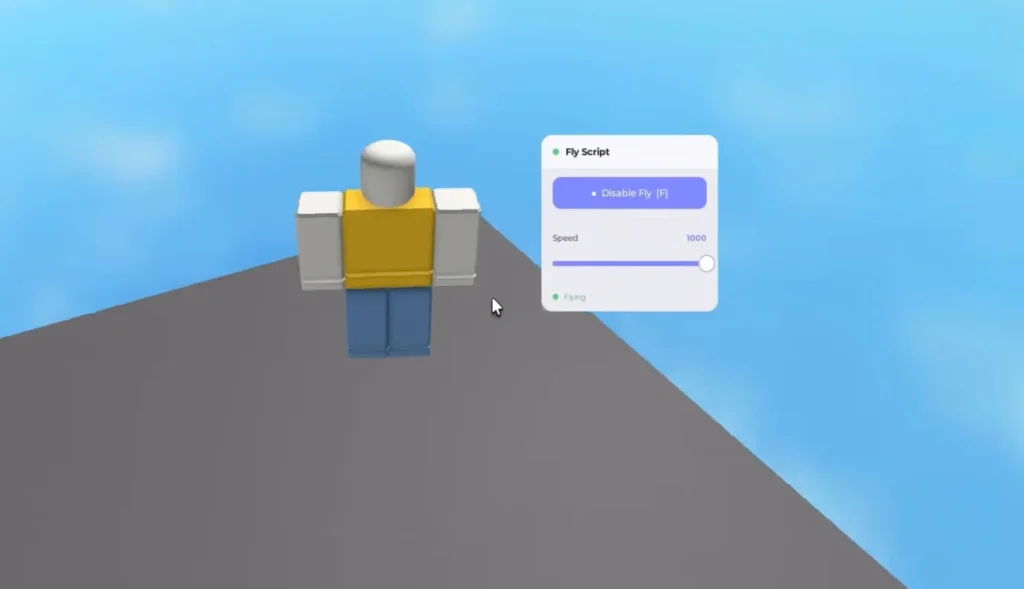
Some Fly Script versions include a small interface where you can turn features on or off.
A simple interface can make the script easier to understand, especially for users who are new to Roblox scripting.
Why Do Players Use a Fly Script?
There are several reasons players search for Fly Script tools.
One common reason is exploration. Large Roblox maps can take a long time to cross on foot. Flying can make it easier to look around the map and reach distant areas.
Another reason is convenience. If a game has difficult terrain, mountains, buildings, or large gaps, air movement can make navigation easier.
Players may also use flight features when testing their own Roblox experiences. Developers and testers sometimes need alternative movement methods to inspect maps and check areas quickly.
However, there is an important difference between using scripts in your own Roblox project and using third-party scripts inside someone else’s game. A game can have its own rules regarding scripts, exploits, or unauthorized modifications.
All Working Roblox Fly Script 2026
1. Fly GUI V3 (Most Recommended – GUI + Mobile Support)
loadstring(game:HttpGet("https://raw.githubusercontent.com/XNEOFF/FlyGuiV3/main/FlyGuiV3.txt"))()
2. Infinite Yield (Best All-in-One Admin)
loadstring(game:HttpGet('https://raw.githubusercontent.com/EdgeIY/infiniteyield/master/source'))()
3. Simple F Key Toggle Fly (Lightweight – No GUI)
loadstring(game:HttpGet("https://raw.githubusercontent.com/Entitynt/Roblox-Fly-Script/refs/heads/main/FlyCommand.lua", true))()
4. WeAreDevs Classic Fly
loadstring(game:HttpGet("https://obj.wearedevs.net/2/scripts/Fly.lua"))()
5. Full Working Standalone Fly Script (Copy-Paste Ready)
local Players = game:GetService("Players")
local UserInputService = game:GetService("UserInputService")
local RunService = game:GetService("RunService")

local player = Players.LocalPlayer
local character = player.Character or player.CharacterAdded:Wait()
local humanoid = character:WaitForChild("Humanoid")
local root = character:WaitForChild("HumanoidRootPart")

local flying = false
local speed = 50
local maxSpeed = 200
local bv, bg

local function startFly()
    if flying then return end
    flying = true

    humanoid.PlatformStand = true

    bv = Instance.new("BodyVelocity")
    bv.MaxForce = Vector3.new(math.huge, math.huge, math.huge)
    bv.Velocity = Vector3.new(0, 0, 0)
    bv.Parent = root

    bg = Instance.new("BodyGyro")
    bg.MaxTorque = Vector3.new(math.huge, math.huge, math.huge)
    bg.P = 9e4
    bg.CFrame = root.CFrame
    bg.Parent = root

    print("Fly ENABLED | Speed:", speed)
end

local function stopFly()
    if not flying then return end
    flying = false

    if bv then bv:Destroy() end
    if bg then bg:Destroy() end

    humanoid.PlatformStand = false
    print("Fly DISABLED")
end

UserInputService.InputBegan:Connect(function(input, gp)
    if gp then return end
    if input.KeyCode == Enum.KeyCode.F then
        if flying then
            stopFly()
        else
            startFly()
        end
    end
end)

RunService.RenderStepped:Connect(function()
    if not flying or not root or not root.Parent then return end

    local cam = workspace.CurrentCamera
    local move = Vector3.new()

    if UserInputService:IsKeyDown(Enum.KeyCode.W) then
        move = move + cam.CFrame.LookVector
    end
    if UserInputService:IsKeyDown(Enum.KeyCode.S) then
        move = move - cam.CFrame.LookVector
    end
    if UserInputService:IsKeyDown(Enum.KeyCode.A) then
        move = move - cam.CFrame.RightVector
    end
    if UserInputService:IsKeyDown(Enum.KeyCode.D) then
        move = move + cam.CFrame.RightVector
    end
    if UserInputService:IsKeyDown(Enum.KeyCode.Space) then
        move = move + Vector3.new(0, 1, 0)
    end
    if UserInputService:IsKeyDown(Enum.KeyCode.LeftControl) then
        move = move - Vector3.new(0, 1, 0)
    end

    if move.Magnitude > 0 then
        bv.Velocity = move.Unit * speed
        bg.CFrame = cam.CFrame
    else
        bv.Velocity = Vector3.new(0, 0, 0)
    end
end)

-- Re-apply on respawn
player.CharacterAdded:Connect(function(char)
    character = char
    humanoid = char:WaitForChild("Humanoid")
    root = char:WaitForChild("HumanoidRootPart")
    if flying then
        stopFly()
        task.wait(0.5)
        startFly()
    end
end)

print("✅ Fly Script Loaded! Press F to toggle")
print("Controls: WASD + Space/Ctrl | F = Toggle")
How to Use a Fly Script
The exact process depends on the script and the environment in which it is intended to run.
- Check the Script Details – Confirm the supported Roblox game, device, features, controls, and compatibility.
- Verify the Source – Use code from a trusted source and avoid unknown executable files or suspicious downloads.
- Read the Instructions – Carefully review the script’s instructions to understand how its features and controls work.
- Open the Supported Game – Launch the Roblox experience for which the Fly Script is intended.
- Run the Script – Use the appropriate method for the scripting environment and activate the script as instructed.
- Enable Fly Mode – Turn on the Fly feature using the available button, key, or control provided by the script.
- Adjust and Test – Start with moderate movement settings, test the controls, and adjust the speed or other options if available.
Is Fly Script Safe?
The answer depends on where the script comes from and how it is used.
A Roblox Lua script itself is simply code. The bigger concern is often the website, file, executor, or other software that comes with a third-party script.
Be careful with websites or downloads that ask you to:
- Disable antivirus software
- Run unknown .exe files
- Install suspicious browser extensions
- Enter your Roblox password
- Provide your Roblox cookie
- Download several unrelated programs
- Complete unusual verification steps
- Give remote access to your computer
A legitimate Roblox account should never require you to give your password or authentication cookies to a script website.
Fly Script and Roblox Updates
Roblox is regularly updated, and those updates can affect third-party scripts.
A script that worked several months ago may no longer work after an engine or game update. This is normal for unofficial scripts because they depend on how the game and Roblox client behave at a particular time.
If you are researching a Fly Script, check whether the information you are reading is current.
Avoid relying only on old articles that claim a script is “100% working forever.” No third-party script can realistically guarantee permanent compatibility with every future Roblox update.
Common Problems and Simple Solutions
Sometimes a fly script stops working after a game update. Creators often improve their anti-cheat systems. Scripts that once worked may break.
1. Fly Button Does Nothing
- If the fly toggle does not work, the script may be outdated or incompatible with the current Roblox version.
2. Character Falls Immediately
- This can happen when the script fails to maintain the required movement behavior or conflicts with another script.
3. Movement Is Too Fast
- If your character moves too quickly, lower the flight speed if the script provides a speed option.
4. Fly Stops After Respawning
- Some scripts only attach their movement system to the current character. When the character dies and respawns, the script may need to be activated again.
5. Mobile Controls Are Missing
- A script designed for PC may not include touch controls. In that situation, the script may not provide a good experience on mobile devices.
6. Script Causes Errors
- Errors can occur because of outdated code, unsupported functions, game changes, or incompatibility with the current environment.
Fly Script for Mobile
Mobile Roblox players often search specifically for a Fly Script for Mobile because they want air movement without a physical keyboard.
Mobile support depends heavily on the script.
A mobile-friendly implementation should ideally provide touch controls that are easy to press without covering too much of the game screen.
Before using one, check whether it specifically mentions Android or iOS support. A script that works on PC should not automatically be assumed to work properly on mobile.
Fly Script for PC
PC users generally have more control options because keyboards provide dedicated movement keys.
A PC Fly Script may allow the player to control flight using keyboard inputs while using the mouse to look around.
Again, controls vary by script, so always check the instructions for the particular version.
Fly Script Without Key
You may also see the term Fly Script No Key or Fly Script Without Key when searching online.
This usually means that the script is advertised as not requiring a separate key or key system before use.
However, be careful with websites that claim to offer a “no key” script but repeatedly redirect users through suspicious pages or downloads.
A page saying “no key” does not automatically mean that the download is safe.
Fly Script vs Normal Flying
Some Roblox games already include legitimate flying mechanics.
For example, a game may provide:
- Flying vehicles
- Special abilities
- Wings
- Character powers
- Developer-created flight systems
- Game passes
- Temporary flight items
These official systems are generally preferable because they are part of the game’s intended gameplay.
A third-party Fly Script works differently because it attempts to modify how the player’s character behaves.
Advantages
- Flying can make large maps easier to explore.
- Players can travel over obstacles and difficult terrain.
- Adjustable flight settings can provide more control.
- Developers can use controlled movement systems while testing their own Roblox experiences.
- Flight can make it easier to inspect locations that are normally difficult to reach.
Disadvantages
- Scripts can stop working after updates.
- Unauthorized game modifications may violate rules.
- Unknown downloads can contain harmful software.
- A script may interfere with the game’s own systems.
- Some scripts are designed only for keyboard and mouse.
- Characters can sometimes teleport, fall, freeze, or behave unexpectedly.
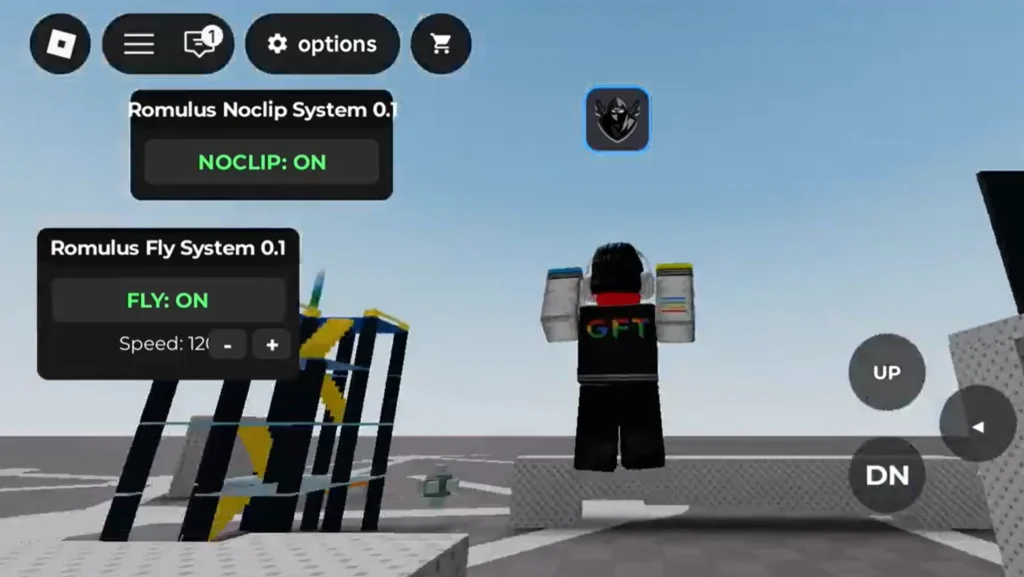
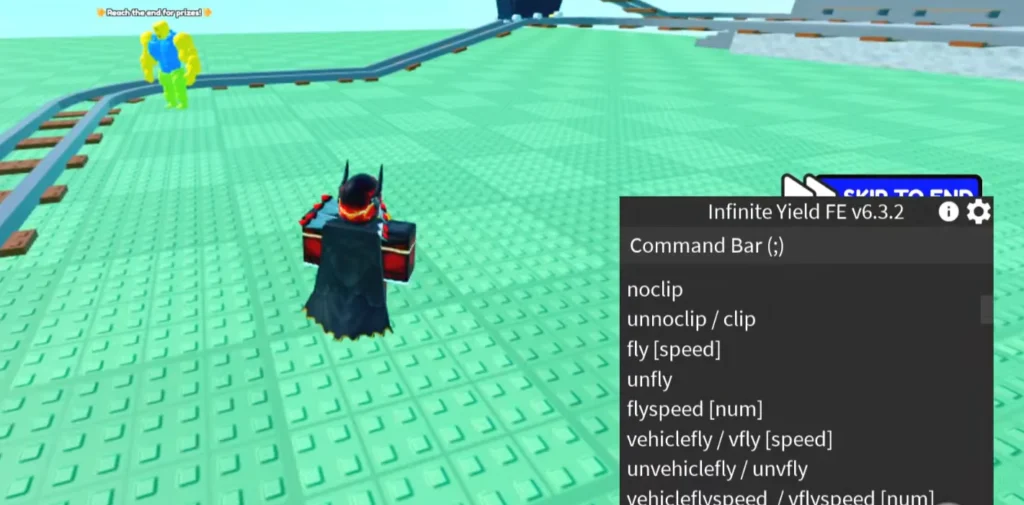
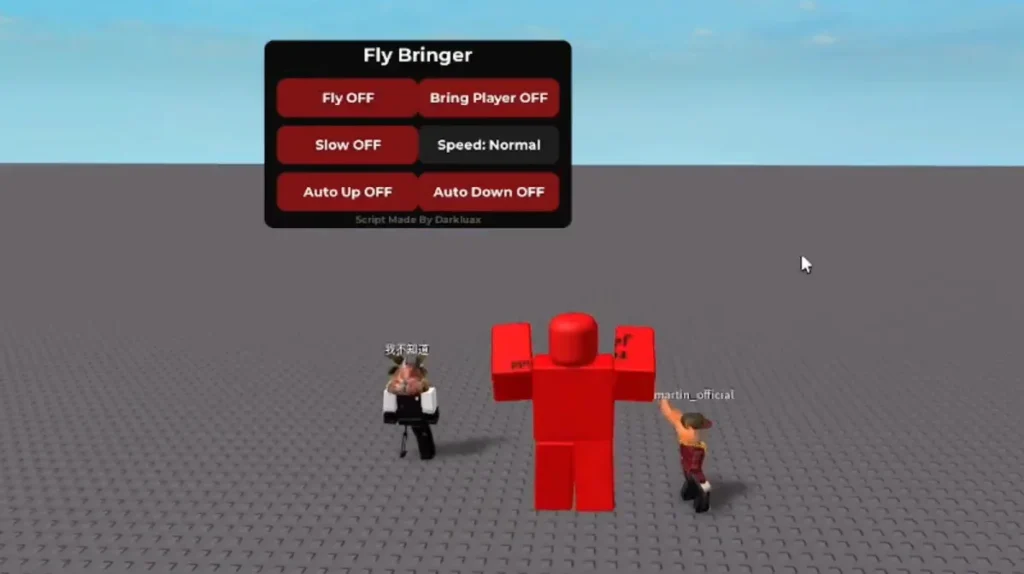
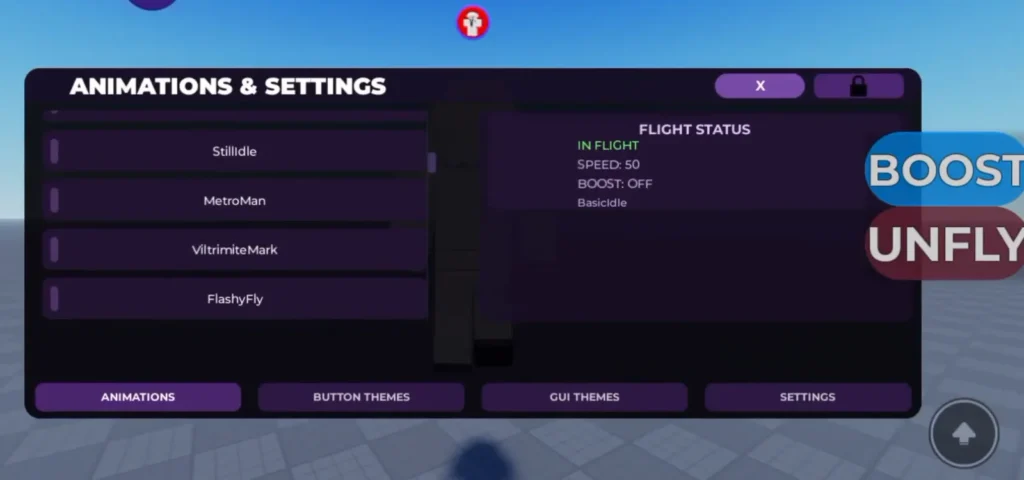
Script Images
Frequently Asked Questions (FAQs)
What is a Fly Script?
A Fly Script is a Roblox script that changes character movement to allow the player to move through the air.
Is Fly Script free?
Some scripts are advertised as free, while others may use keys, paid access, or other requirements. Be careful with websites that use misleading download pages.
Does Fly Script work on mobile?
Some versions may support mobile devices, but compatibility depends on the specific script and execution environment.
Does every Fly Script have the same controls?
No. Controls can be different between scripts. Always check the instructions provided with the specific script.
Can I use Fly Script in every Roblox game?
No. Compatibility depends on the game, Roblox updates, and the way the script works.
Why did my Fly Script stop working?
The most common reasons are Roblox updates, game updates, outdated code, compatibility problems, or changes to the execution environment.
Is a keyless Fly Script better?
Not necessarily. “Keyless” only describes the activation requirement. It does not automatically mean the script is safer, better, or more reliable.
Is Fly Script safe for my Roblox account?
There is no universal guarantee. Third-party scripts can carry account and security risks, particularly when they require unknown software or personal login information.
Conclusion
A Fly Script can change the way a Roblox character moves by allowing air-based movement instead of normal walking and jumping. Features can include flight toggles, adjustable speed, directional movement, keyboard controls, and sometimes mobile support.
However, not every Fly Script works with every Roblox game, and compatibility can change after Roblox or game updates. It is also important to understand the difference between a script itself and the third-party software or website offering it.
If you decide to research or test a Fly Script, focus on current compatibility information, avoid suspicious downloads, never share your Roblox password or authentication cookies, and understand the rules of the Roblox experience you are playing.
Ultimately, the best Fly Script information is not simply about finding a script that claims to work. It is about understanding what the script does, whether it matches your device and game, how it handles movement, and what risks may come with using third-party code.
Fly Script Roblox
Explore Roblox Fly Script options, features, controls, mobile support, safety tips, compatibility, and how flying scripts work across Roblox games.
Price: 0.0
Price Currency: USD
Operating System: Android, iOS, Windows, PC
Application Category: Game
4.9